
Static vs Dynamic Residential Proxies: Choose by Task and Session Needs
Start with static residential proxies when a task needs a consistent assigned exit over time. Consider dynamic residential proxies when you need regional selection or different exits between test runs. Before choosing, define the task duration, whether the exit must stay the same, and the expected transfer volume.
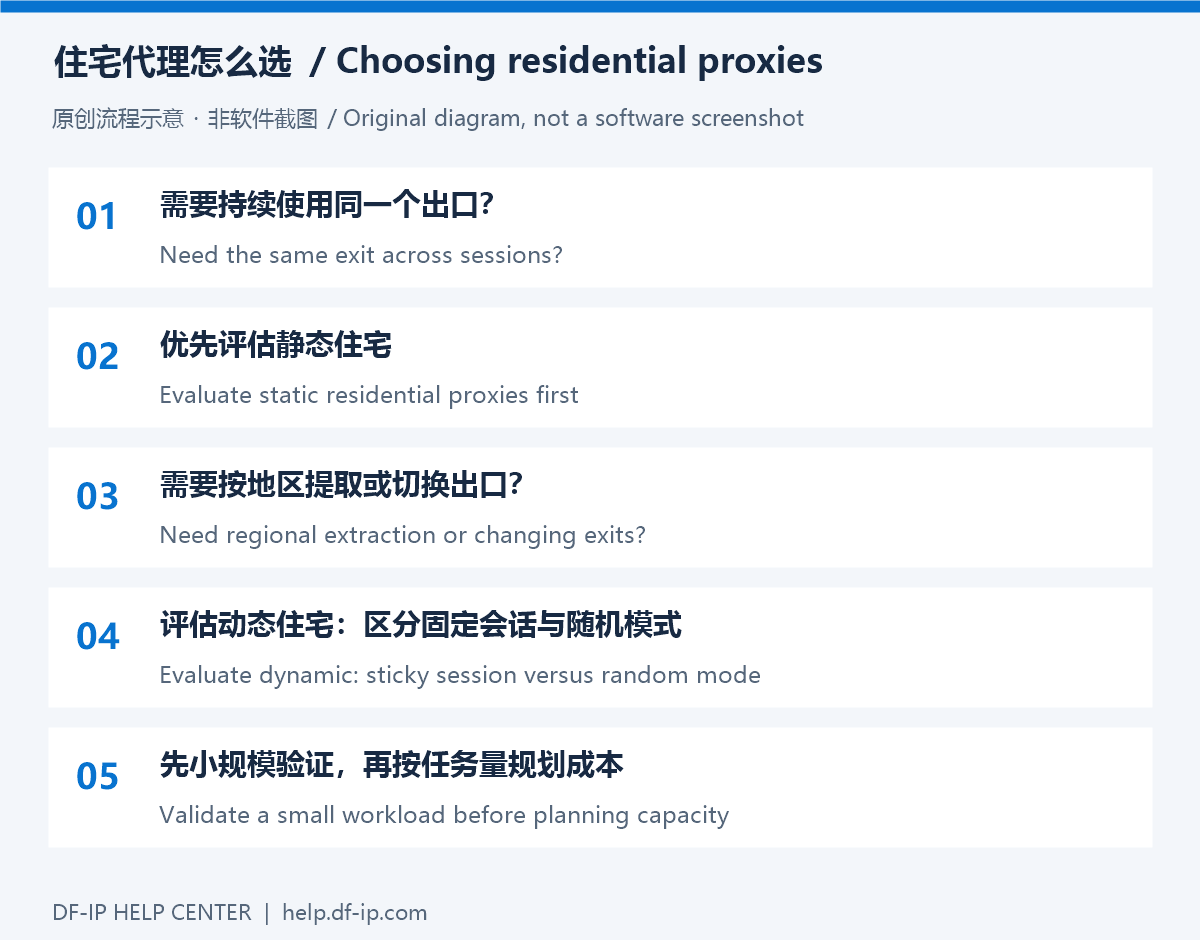
Compare operational requirements
| Requirement | Static residential | Dynamic residential |
|---|---|---|
| Connection details | Purchased IP, protocol port, and proxy credentials | Extracted gateway, port, and full generated credentials |
| Exit planning | Continued use of an assigned address | Regional selection with the available session modes |
| Long workflows | Check validity and availability of the assigned IP | Check session duration and exit availability |
| Capacity planning | Review IP count, term, and actual plan conditions | Review traffic balance, region availability, and session needs |
Static does not mean an address can never fail or be replaced. A sticky dynamic session is not a promise of a permanent IP. Use the options and terms displayed in your current account.
Three questions to answer first
- Must the exit remain the same across days? For repeated checks of your own business environment, evaluate one static connection before adding more addresses.
- Do you need to compare regions? Dynamic extraction can suit regional testing. Preserve one complete connection throughout each run so that repeated extraction does not introduce another variable.
- Does the task transfer large resources? Images, video, downloads, and retries affect consumption. Measure a small representative workload before comparing traffic and monthly plans.
Get the right DF-IP connection
For static proxies, use an active purchased record: ip_address, http_port or s5_port, proxy_username, and proxy_password. For dynamic residential proxies, select the region, protocol, and session options, then extract the connection. The default output is username:password@host:port. The gateway address is not necessarily the exit address seen by a website.
Begin with one application and one test destination. Record the observed exit, completion time, and actual consumption. A sticky session can suit a continuous test; extract a new connection when you intentionally start a different run. Random mode is a poor default for a workflow that depends on the same exit throughout a login session.
Open the DF-IP console to review current availability, then use the cost planning guide. For browser profiles, continue to fingerprint browser setup.