
Per-GB vs Monthly Proxy Plans: Estimate Residential Proxy Costs
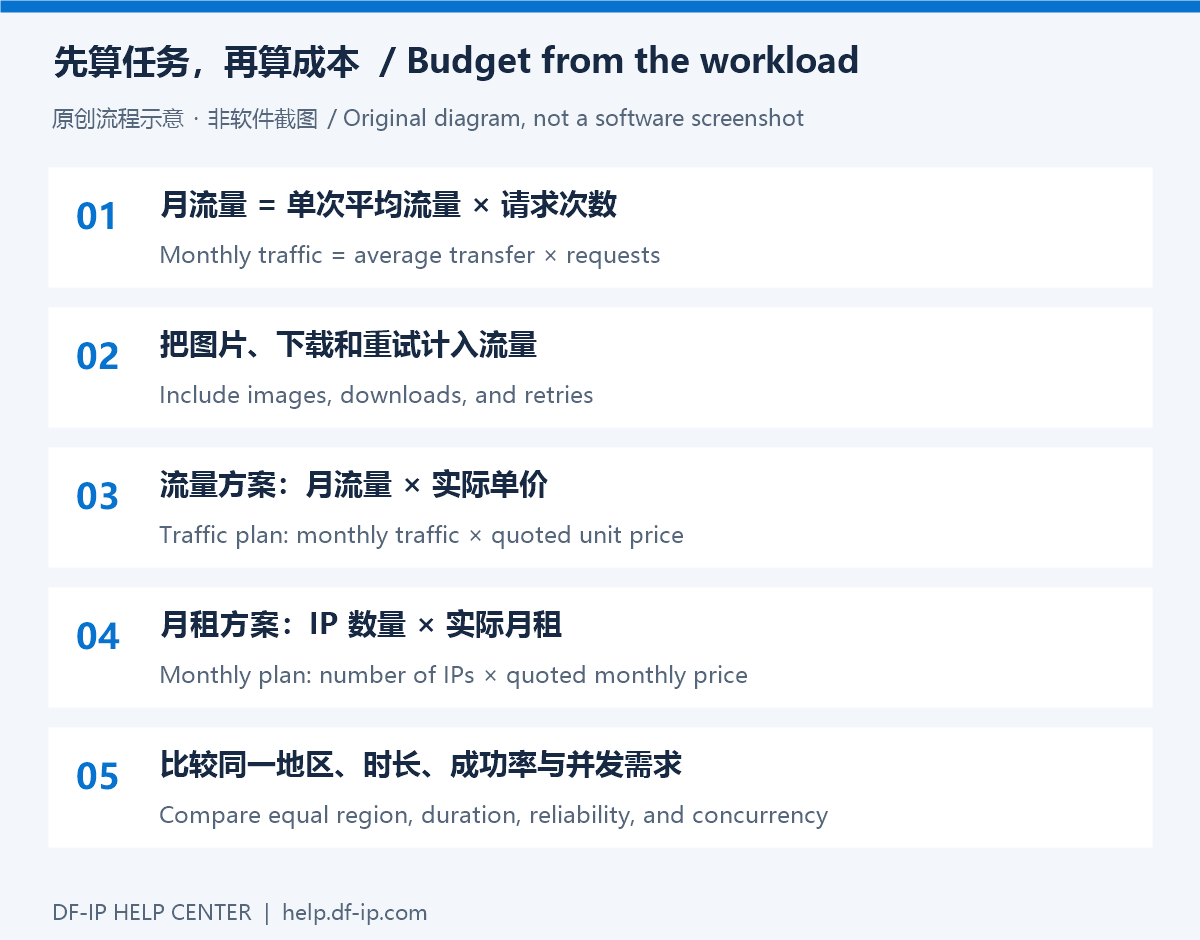
Build a proxy budget from a representative workload, rather than comparing one advertised unit price. Keep the region, duration, required exits, and acceptable failure rate consistent when evaluating the traffic and monthly options shown in your account.
Collect the inputs
| Variable | Meaning | Where to obtain it |
|---|---|---|
| N | Planned monthly requests or page visits | Workload schedule |
| B | Average billable traffic per task | A small test and account usage changes |
| R | Additional retry proportion | Task logs |
| P | Applicable traffic unit price | Your current quote |
| K and M | Static IP count and monthly price per IP | Concurrent needs and your actual quote |
Estimate monthly traffic as N × B × (1 + R). If B already includes retry consumption, do not count it again. Match the plan's units and billing definition, including how it counts transfers. Browser transfer statistics can help explain consumption but are not a substitute for the billing meter.
Compare on equal terms
The basic traffic estimate is monthly billable traffic × P; the basic monthly estimate is K × M. Add any applicable extra charges, minimum purchase requirements, validity limits, and renewal conditions. These are planning formulas, not fixed DF-IP prices or a claim of unlimited traffic or bandwidth.
For a workload-only example, 100 daily page checks over 30 days at an average of 2 MB each produce roughly 6,000 MB before retries. A real page may fetch scripts, images, and repeated resources, so calibrate the estimate with a representative sample. This example is neither a price quote nor a billing commitment.
Keep the estimate useful
Measure realistic pages instead of a tiny text endpoint. Record downloads, retries, and failed requests together, and check how your plan charges for those transfers. Compare cost per completed task as well as total spending: a low connection price may not help when repeated failures consume the budget.
Before increasing volume, review balance alerts, concurrency, and static expiry dates. Bound automated retries so an unattended task cannot keep retrying indefinitely.
Check current quotes and usage in the DF-IP console, then use the static versus dynamic guide to choose the connection model that fits the workload.