
Configure a DF-IP HTTP Proxy in Node.js Axios
Axios can use a DF-IP HTTP connection through its proxy configuration in Node.js. This guide is for a server or local Node.js script. A browser-side Axios option cannot change the browser's proxy settings, and proxy credentials should not be delivered to a frontend page.
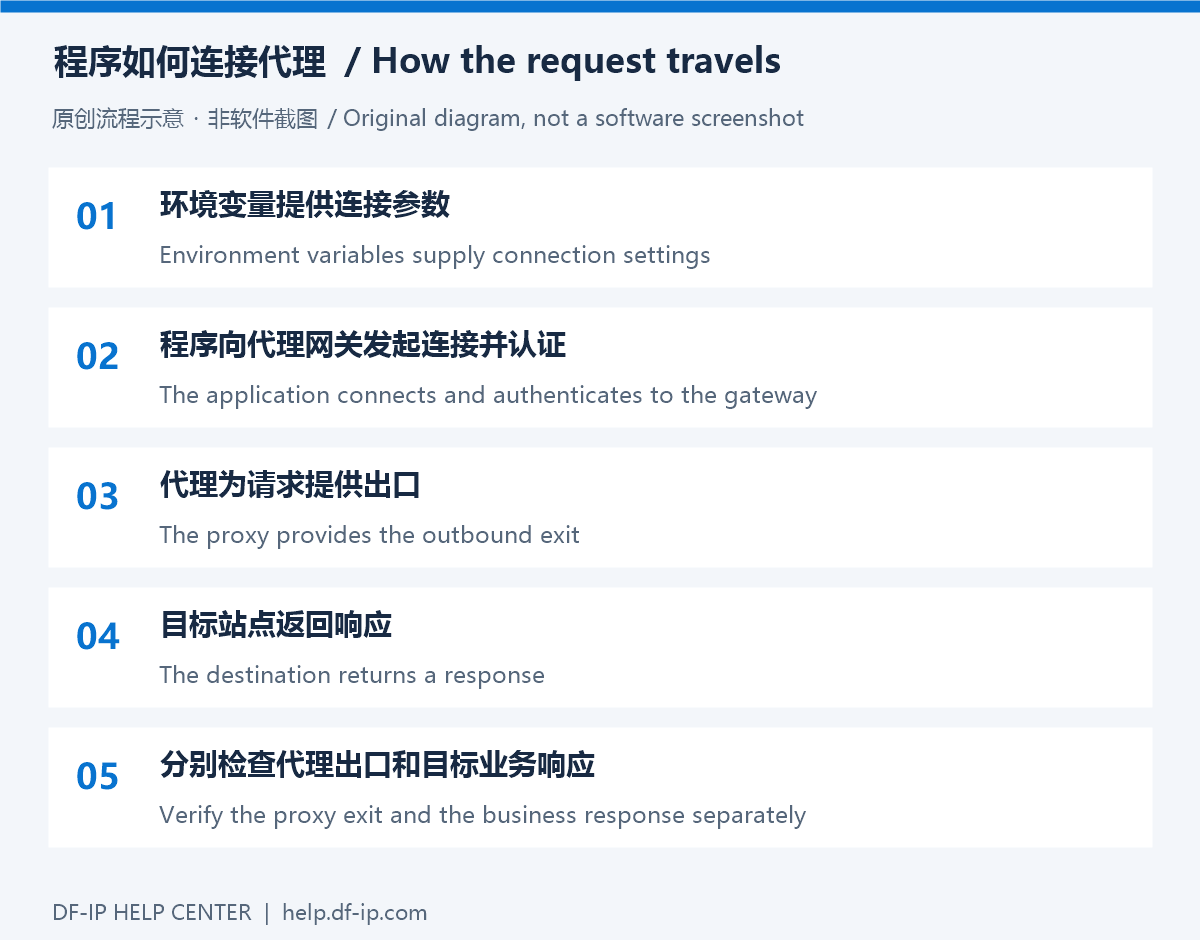
Prepare the DF-IP connection
For static residential proxies, copy an active purchased record's IP, matching protocol port, proxy_username, and proxy_password. For dynamic residential proxies, choose the region, protocol, and session options before extraction. The default output is username:password@host:port; preserve the full generated username and password. These are proxy credentials, not your website password or API key.
| Field | Required value |
|---|---|
| Host | Static IP or dynamic gateway, without a URL scheme |
| Port | Static http_port for HTTP or s5_port for SOCKS5; the selected protocol's extracted port for dynamic proxies |
| Username and password | Complete credentials from the same connection; do not mix extraction results |
For automated retrieval, see static record queries and dynamic extraction.
Environment and connection values
Inject these values through your runtime environment or secret manager. The example accepts an IPv4 address or DNS hostname, not an IPv6 literal.
| Variable | Value |
|---|---|
DFIP_PROXY_HOST | HTTP proxy host without a URL scheme |
DFIP_PROXY_PORT | HTTP port, from 1 to 65535 |
DFIP_PROXY_USERNAME, DFIP_PROXY_PASSWORD | Complete proxy credentials |
DFIP_TEST_URL | An HTTPS test URL you may access; defaults to example.com |
Keep real credentials out of source control, URL screenshots, and shared logs. The example avoids printing proxy URLs, authentication fields, or full exception objects.
Run the example
Install axios in your own Node.js project, save the file as check-proxy.mjs, inject the variables, and run node check-proxy.mjs. Use the normal Node.js adapter for this walkthrough; do not assume the same proxy behavior after switching to a browser or custom fetch adapter.
import axios from 'axios';

function required(name) {
  const value = process.env[name];
  if (!value) throw new Error('Missing connection setting');
  return value;
}

async function main() {
  let client;
  let target;
  try {
    const host = required('DFIP_PROXY_HOST').trim();
    const portText = required('DFIP_PROXY_PORT');
    const port = Number(portText);
    if (!host || /[\s/:@?#\[\]\\]/.test(host) || !/^\d+$/.test(portText) ||
        !Number.isInteger(port) || port < 1 || port > 65535) {
      throw new Error('Invalid host or port');
    }
    target = process.env.DFIP_TEST_URL || 'https://example.com/';
    if (!target.startsWith('https://')) throw new Error('Use an HTTPS test URL');
    client = axios.create({
      proxy: {
        protocol: 'http',
        host,
        port,
        auth: {
          username: required('DFIP_PROXY_USERNAME'),
          password: required('DFIP_PROXY_PASSWORD'),
        },
      },
      timeout: 30000,
      maxRedirects: 0,
      responseType: 'text',
    });
  } catch {
    console.error('Invalid or missing connection settings');
    process.exitCode = 1;
    return;
  }
  try {
    const response = await client.get(target);
    console.log('HTTP status:', response.status);
    console.log('Response bytes:', Buffer.byteLength(response.data, 'utf8'));
  } catch (error) {
    console.error('Request failed:', error.response?.status ?? error.code ?? 'UNKNOWN');
    process.exitCode = 1;
  }
}

await main();
Understand the settings
The proxy protocol describes the connection to the proxy: HTTP in this example, even when the destination is HTTPS. Supply complete, unencoded credentials in the auth object. Unlike a manually assembled URL, these separate fields should not be percent-encoded in advance. See the official Axios request configuration.
The example sets a 30-second request timeout and disables automatic redirects. Axios normally rejects non-2xx responses, so a 3xx response enters the error branch here. Inspect the redirect destination before changing this behavior. Keep timeout and retry policies within your overall business-task budget.
Verify the result
Start with a known test page, then set DFIP_TEST_URL to a trusted exit-check endpoint. During controlled local debugging, inspect the exit field according to that service's response format. A 200 status confirms that HTTP request succeeded, not that the selected region is correct.
Do not interchange static HTTP and SOCKS5 ports. This built-in proxy-object example does not implement SOCKS5. If only SOCKS5 is available, use a separately verified compatible agent or consult the Python SOCKS notes; changing the protocol string alone is insufficient.
Log only a status or error code. Avoid printing error.config, complete errors, or request headers. For 407, inspect the full credentials first; for timeouts, follow the diagnostic guide. Retrieve current connection details from the DF-IP console.